

Exchange & top-up
Start from Home for USDT exchange, recharge information and withdrawal controls.
UMoney.
USDT. INR. A little more clarity.
THE UMONEY APP GUIDE
Get to know UMoney, one screen at a time. Explore INR orders, understand quota tools and work out an example exchange value.
Real app screenshots.
A straightforward guide to what’s inside.
USDT & INRExchange and order tools
Quota rewardsDisplayed promotional reward
Example USDT rateTry the calculator
LET’S START HERE
Three main screens bring the app’s tools together. Here’s where to find the things you’ll use.
Read the UMoney guideStart from Home for USDT exchange, recharge information and withdrawal controls.
Open the Deposit Center to review available orders, displayed bonuses and quota details.
Find displayed earnings, history, account settings and support tools in the Asset Center.
A LOOK INSIDE
Choose a screen below.
Get familiar with the layout.
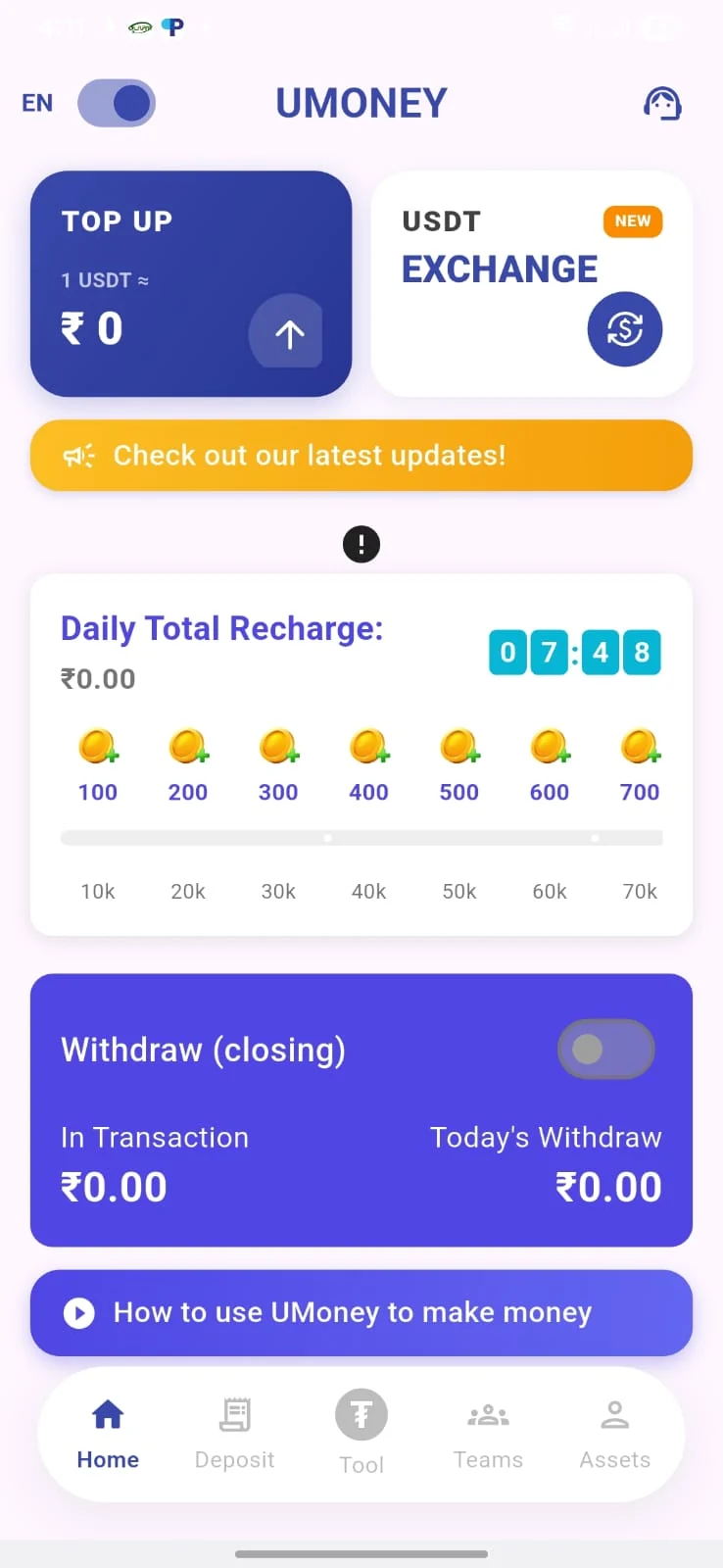
USDT exchange and top-up sit at the top. Scroll down for daily recharge information and the withdrawal controls shown in the app.
The Deposit Center brings together available INR orders, displayed bonuses and quota totals. Read each order’s conditions before proceeding.
Check quota and displayed earnings, browse your history and find support or account settings from the Assets screen.
These screenshots show the app layout. Current screens, balances and availability may differ.
WORK IT OUT
Enter your USDT amount to see its INR value at the website’s example rate. Use this as a starting point, then check the current quote in UMoney.
This calculator is an estimate. It does not use live market data or include fees and rewards.
Use your own quoted rateEnter an amount from 0 to 1,00,00,00,000 USDT.
The final rate and amount are confirmed in the app.
GETTING STARTED
Use the UMoney registration link and follow the account setup instructions.
Review the available INR order, amount, quota and applicable conditions.
Check the details and use the instructions shown inside the platform.
Return to the account tools for history, quota and displayed earnings.
THE QUESTIONS THAT COME UP
Can’t find what you’re looking for? The full guide goes through the app’s screens and the example calculation.
Read the guideThe app featured here includes USDT exchange, INR deposit orders, quota information and account tools. This website explains the features shown in the screenshots and links to the UMoney registration page.
Select “Open UMoney” to visit the registration page. Account setup happens on that platform. The registration link contains a referral code.
No. ₹109 per USDT is the example rate used by this website. The calculator multiplies your amount by that rate. Check UMoney for the current quote, fees and final amount.
The original promotional details show a 3% quota reward. Eligibility and order conditions can change. It is not a guaranteed return, and it is not added to the calculator’s estimate.
Look in the Deposit Center for available INR orders and quota information. The Assets screen includes displayed earnings, history, account settings and support. See the app screens.
Yes. You can use the estimate calculator and view the app screenshots on this website without registering. Opening the linked platform and creating an account are separate steps.
This website is a promotional app guide with screenshots and a calculator. Account creation, orders and transactions take place on the linked platform.
We explain the screens and the example figures so you can find your way around. For a current rate, order condition or account question, check the details inside UMoney.
About this websiteHAD A LOOK AROUND?
Open UMoney, or keep exploring the guide.